

TiviMate IPTV Player Setup (2025) – Firestick & Android TV UK Guide
Last updated: May 2025In this updated guide, you’ll learn how to install and use TiviMate IPTV Player on Firestick and Android TV devices in the UK. The setup works on FireStick 4K, FireStick Lite, Fire TV Cube, and any Android-based TV box.
Image credit: firesticktricks.com
What Is TiviMate IPTV Player?
TiviMate is one of the best IPTV apps available for Firestick and Android TV in the UK. It allows users to stream live channels and VOD by adding IPTV playlists (M3U or Xtream Codes) from a subscription provider.
TiviMate supports:
- Xtream Codes login
- M3U and M3U8 playlists
- Stalker portal integration
Why Upgrade to TiviMate Premium?
- Add multiple IPTV playlists
- Advanced EPG and catch-up support
- Record live TV (DVR)
- Auto frame rate matching
- Multi-view (watch more than one channel)
- Sort and organize channels
- UI theme customization
Is TiviMate Safe and Legal in the UK?
Yes — TiviMate is safe to use and is available via the official Google Play Store for Android. It does not host any content, so you’ll need to use your own IPTV playlist from a legitimate provider.
How to Install TiviMate on Firestick
Step 1: Install the Downloader App
On your FireStick home screen, click the search icon, type Downloader, and install the app.
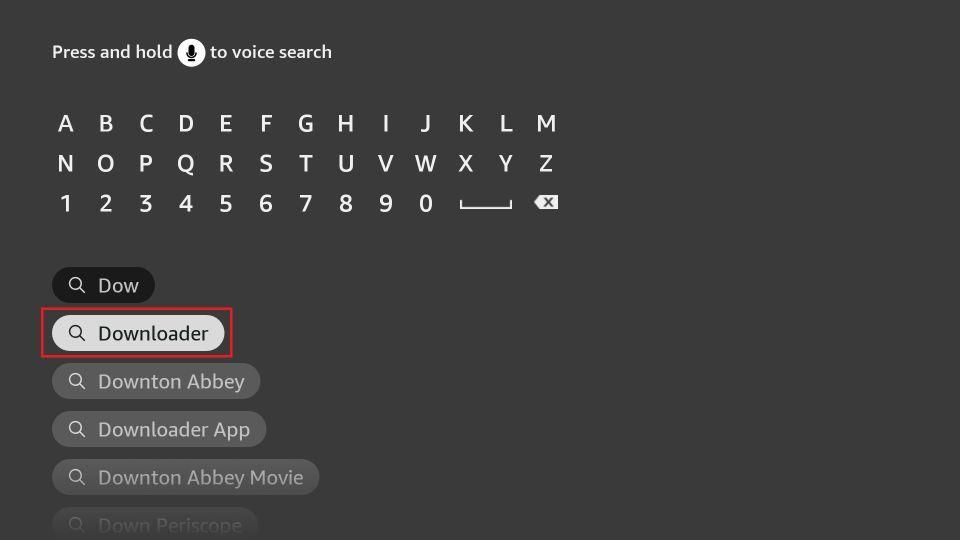
Image credit: firesticktricks.com
Step 2: Enable Unknown Apps
Go to Settings > My Fire TV > Developer Options > Install Unknown Apps, then enable it for Downloader.
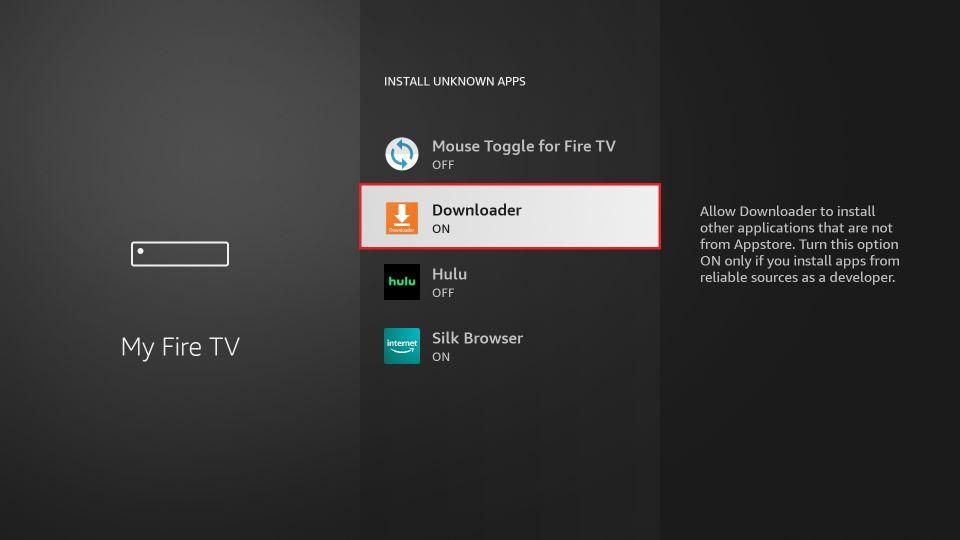
Image credit: firesticktricks.com
Step 3: Open Downloader and Enter the APK URL
Launch Downloader and type the URL: firesticktricks.com/tivi then click Go.
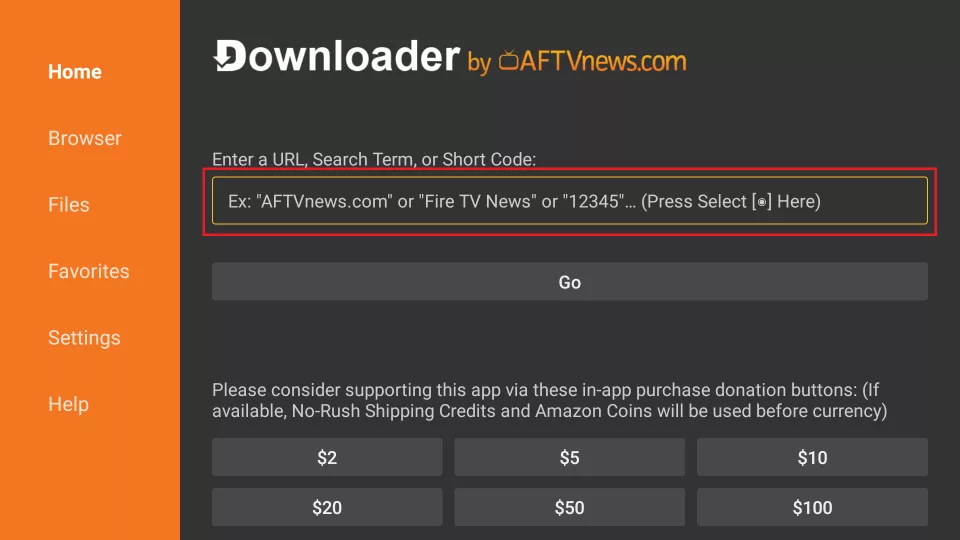
Image credit: firesticktricks.com
Step 4: Download the TiviMate APK
The APK file will begin downloading automatically. Wait for the process to finish.
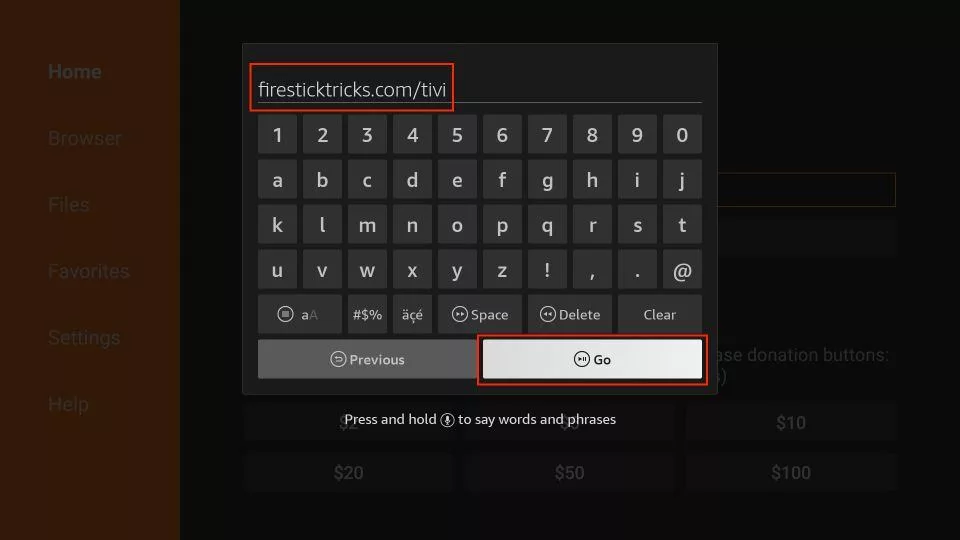
Image credit: firesticktricks.com
Step 5: Install the TiviMate App
Once the download is complete, click Install.
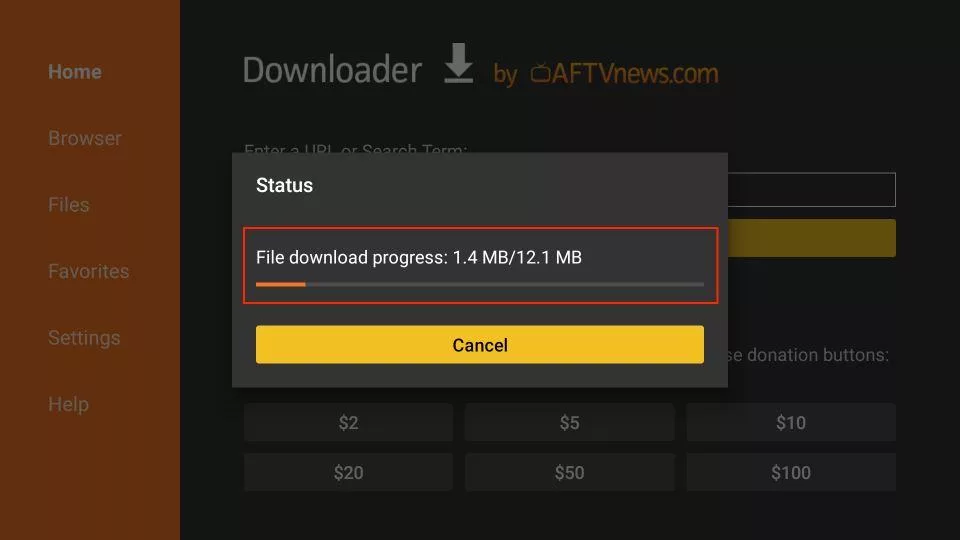
Image credit: firesticktricks.com
Step 6: Installation Complete
Click Done when the installation finishes.
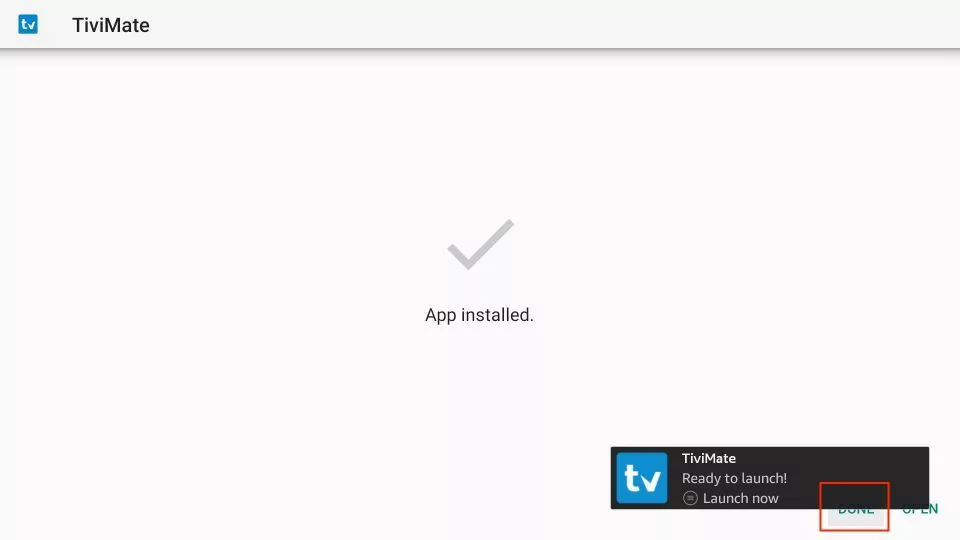
Image credit: firesticktricks.com
Step 7: Delete APK File (Optional)
To free up space, select Delete to remove the APK file.
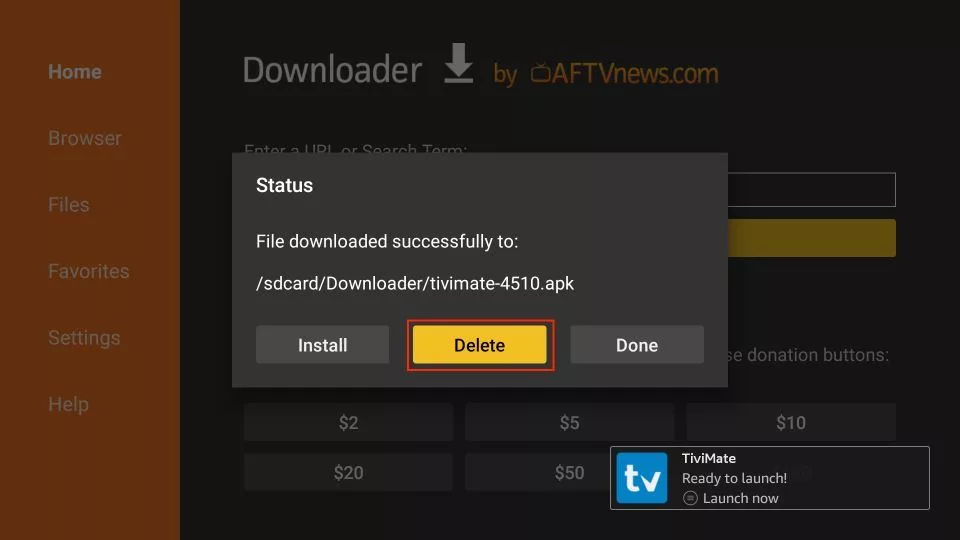
Image credit: firesticktricks.com
Step 8: Confirm Deletion
Click Delete again to confirm.
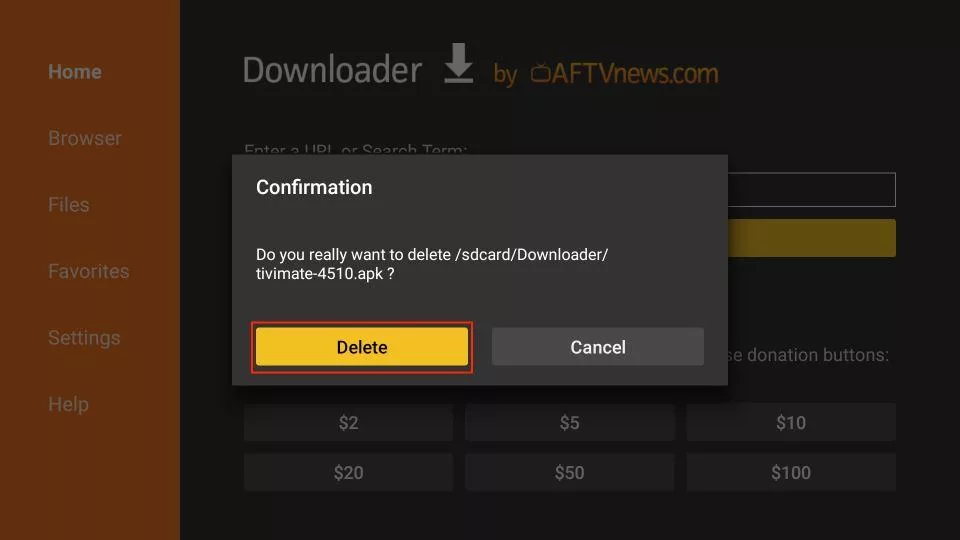
Image credit: firesticktricks.com
How to Add IPTV Playlists to TiviMate
After installation, open TiviMate and follow the prompts to add your IPTV service. You’ll need:
- Your M3U or M3U8 URL
- OR your Xtream Codes login (username, password, server URL)
Conclusion
Now that you’ve installed TiviMate on Firestick or Android TV, you’re ready to enjoy live channels and VOD in full HD. Make sure to use a high-quality IPTV subscription for the best performance. We recommend UK IPTV Plans for reliability and 4K quality streaming.