

How to Install IPTV Smarters Pro on Firestick (UK 2025 Setup Guide)
Last updated: May 2025 Looking to install IPTV Smarters Pro on your Firestick in the UK? You’re in the right place. This updated 2025 guide shows you exactly how to set up IPTV Smarters on Firestick and Android TV — step by step. Plus, we’ve included device alternatives like Smart TVs, iOS, and Windows so you can start streaming fast.
Image credit: firesticktricks.com
What Is IPTV Smarters Pro?
IPTV Smarters Pro is one of the most popular IPTV apps for Firestick and Android TV users in the UK. It acts as a player — not a provider — allowing you to log in with your IPTV subscription and stream live channels, VOD, and series. It supports both M3U links and Xtream Codes API, and even allows multiple profiles in one place.Key Features
- Supports both M3U playlists & Xtream Codes API
- Multi-user account support
- Clean, easy-to-navigate interface
- EPG (TV Guide) support
Is IPTV Smarters Pro Safe to Use?
Yes — IPTV Smarters Pro is a safe IPTV player. It does not include content, so you'll need your own IPTV subscription. If you're streaming in the UK, we recommend using a VPN to protect your activity.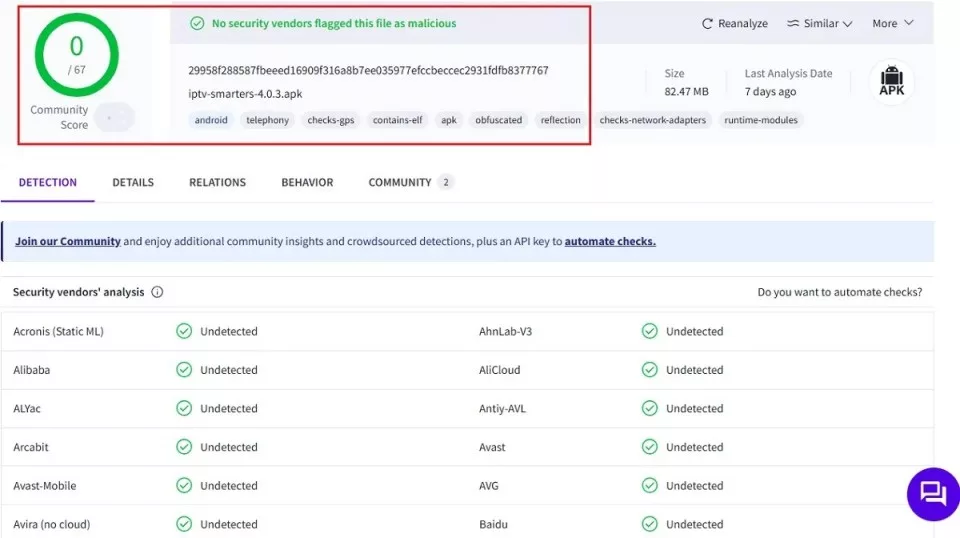
Image credit: firesticktricks.com
🔥 Looking for a trusted IPTV subscription?
Get 35,000+ Live Channels & 250,000+ VOD with UKIPTVPlans — See Pricing
How to Install IPTV Smarters Pro on Firestick
Step 1: Install the Downloader App
- From the Firestick home screen, go to Find > Search and type in Downloader.
- Click to install the Downloader app.
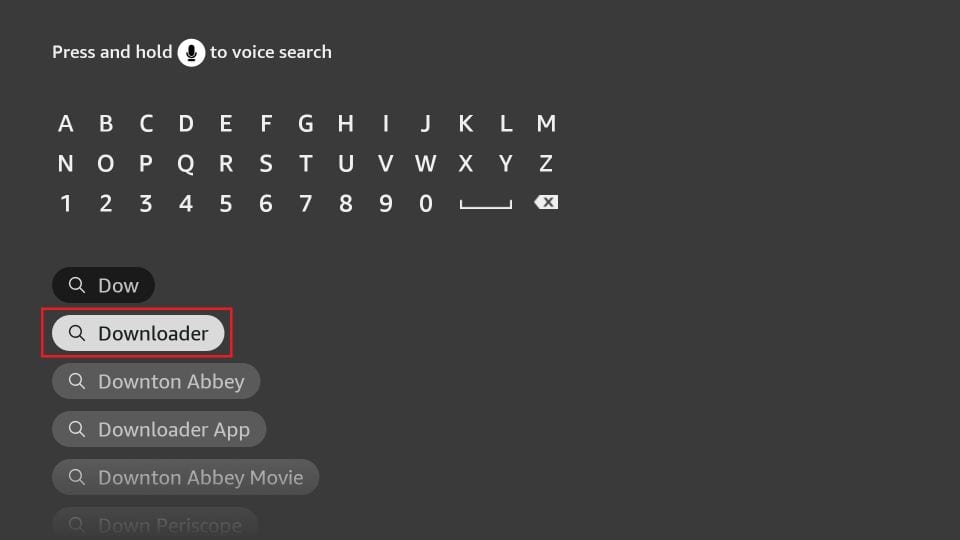
Image credit: firesticktricks.com
Step 2: Enable Unknown Apps
- Navigate to Settings > My Fire TV > Developer Options.
- Select Install Unknown Apps and enable it for Downloader.
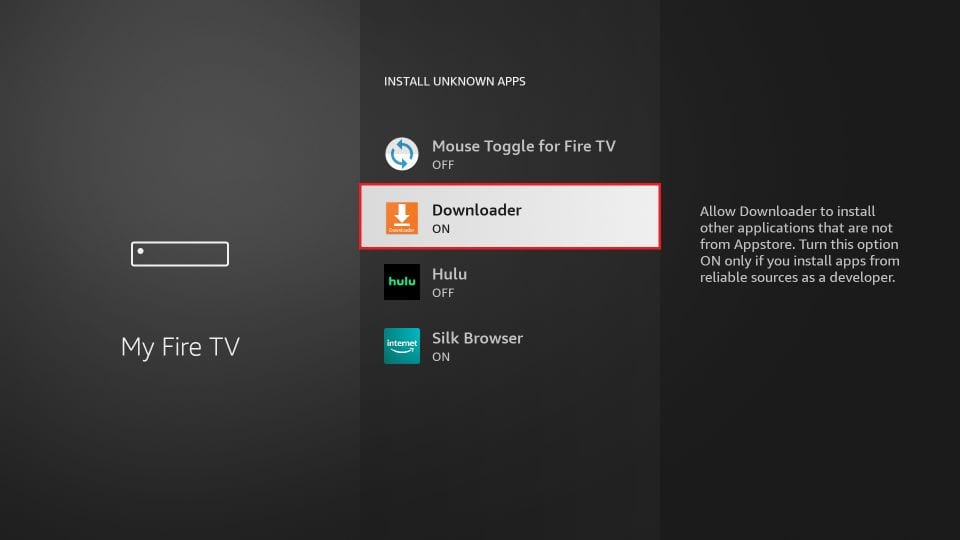
Image credit: firesticktricks.com
Step 3: Download IPTV Smarters Pro
- Open Downloader.
- Enter this URL: firesticktricks.com/smarter and click Go.
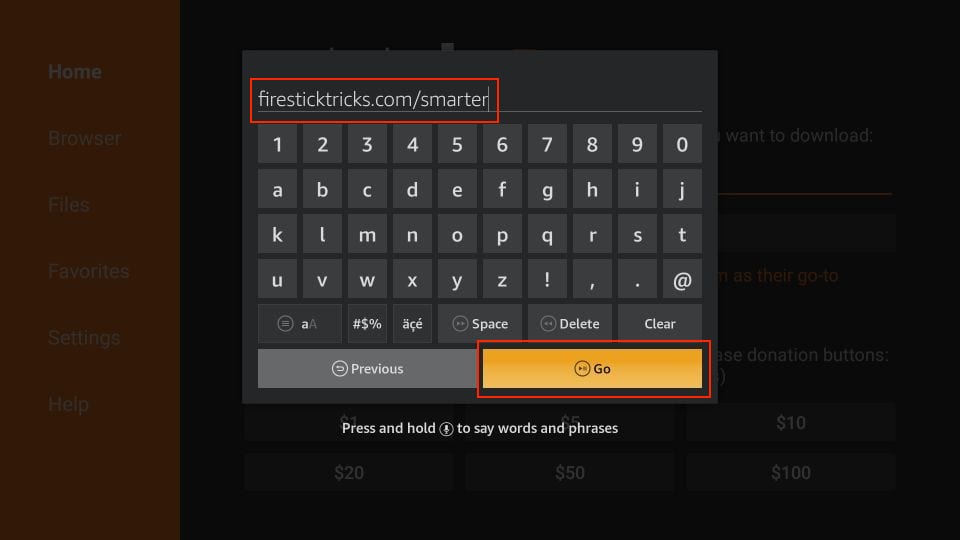
Image credit: firesticktricks.com
Step 4: Install the App
- Wait for the APK file to finish downloading.
- Click Install when prompted.
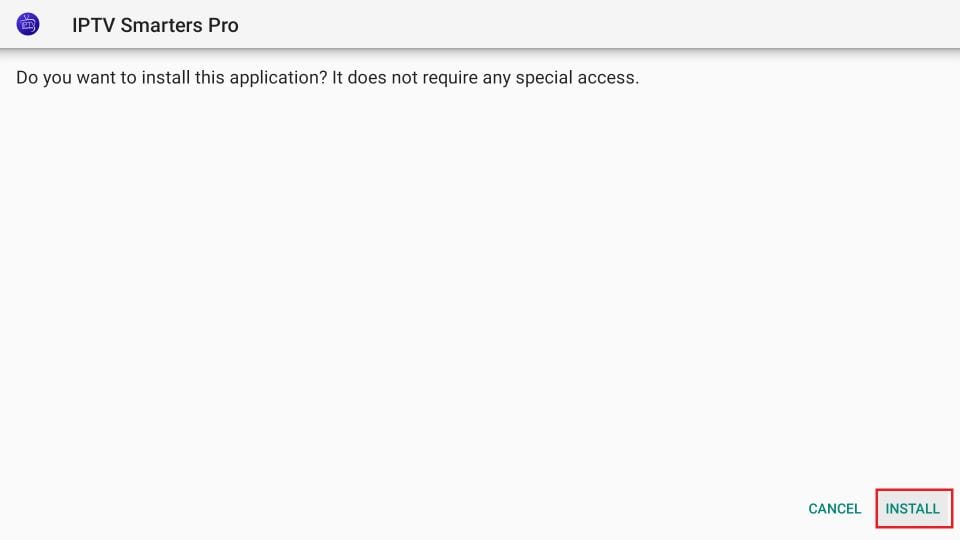
Image credit: firesticktricks.com
Step 5: Delete the APK File (Optional)
- Once the app is installed, click Done and then select Delete to remove the APK and save space.
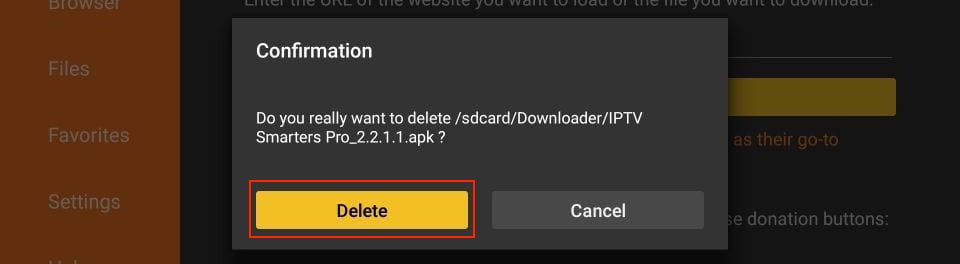
Image credit: firesticktricks.com
How to Use IPTV Smarters Pro
Initial Launch
- Open IPTV Smarters Pro from your Firestick home screen.
- Accept the terms of use when prompted.
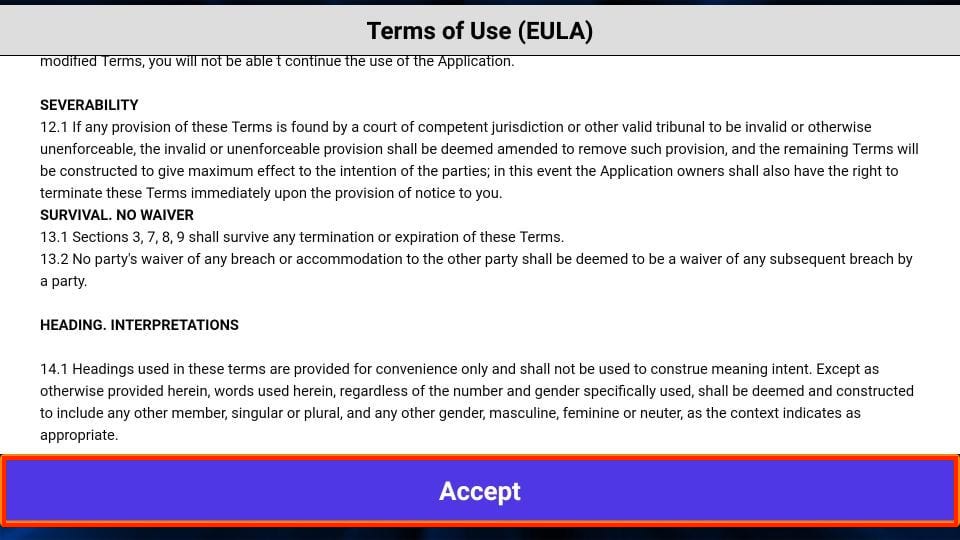
Image credit: firesticktricks.com
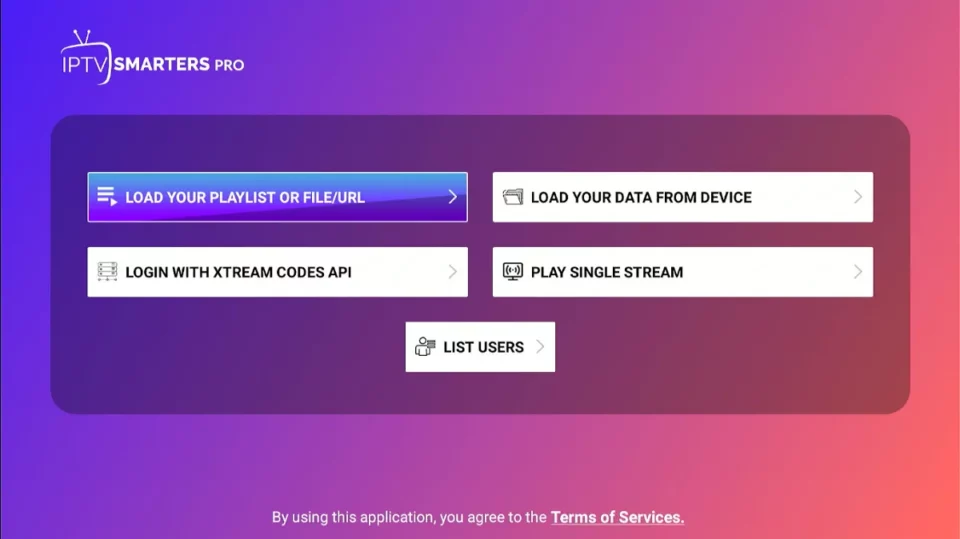
Image credit: firesticktricks.com
How to Log In
- Load Playlist or URL: Use the M3U link provided by your IPTV provider.
- Xtream Codes API: Enter your username, password, and server URL.
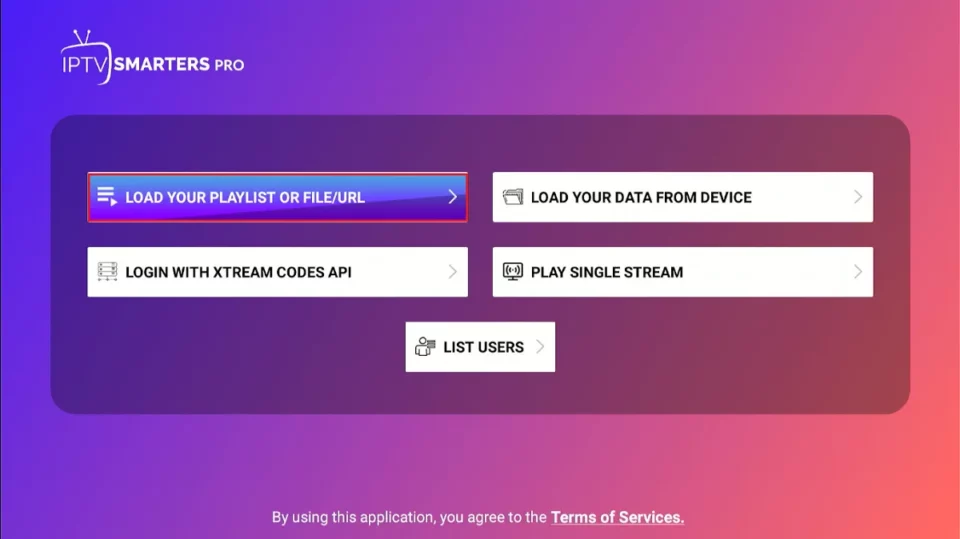
Image credit: firesticktricks.com
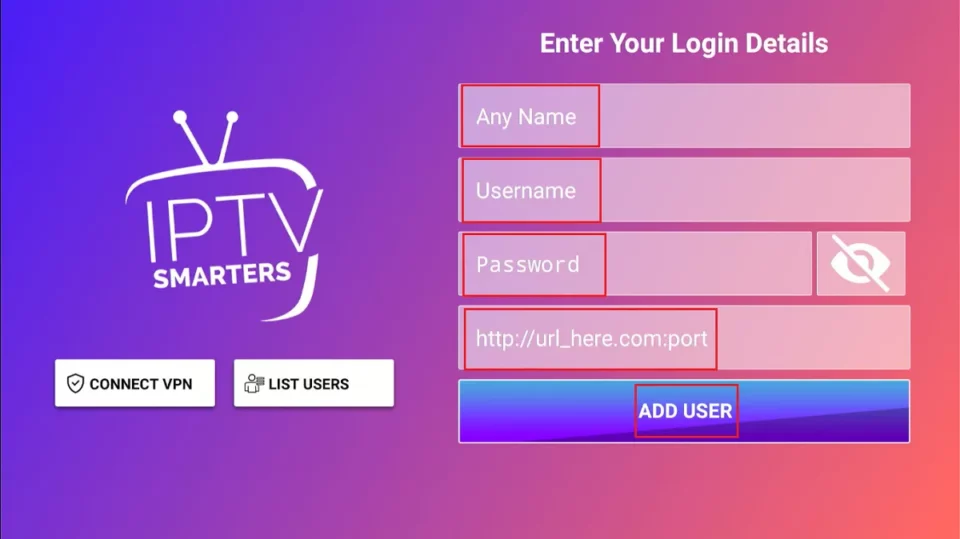
Image credit: firesticktricks.com
Alternate Device Installation
Android TV / Box: Use the same APK link:firesticktricks.com/smarteriPhone / iPad: Search for Smarters Player Lite on the App Store.
🚀 Ready to Stream?
Get started with UKIPTVPlans — View Plans Here for the best IPTV service in the UK.